Passport size photo in India: size, background and how to make one at home
By Convertifyy team · · 4 min read
Short answer
An Indian passport size photo is 35 × 45 mm (3.5 × 4.5 cm), in colour, with a plain white background and your face filling most of the frame. To make one at home, take a photo against a white wall, open Convertifyy Passport size photo maker, choose India passport and download a single photo or a print sheet.
Passport size photo maker, free and private
India, US, UK, Schengen, Canada. Runs in your browser; nothing is uploaded.
Step by step
Step 1Take a photo facing the camera against a plain white or very light wall, in daylight, with no shadows on your face.
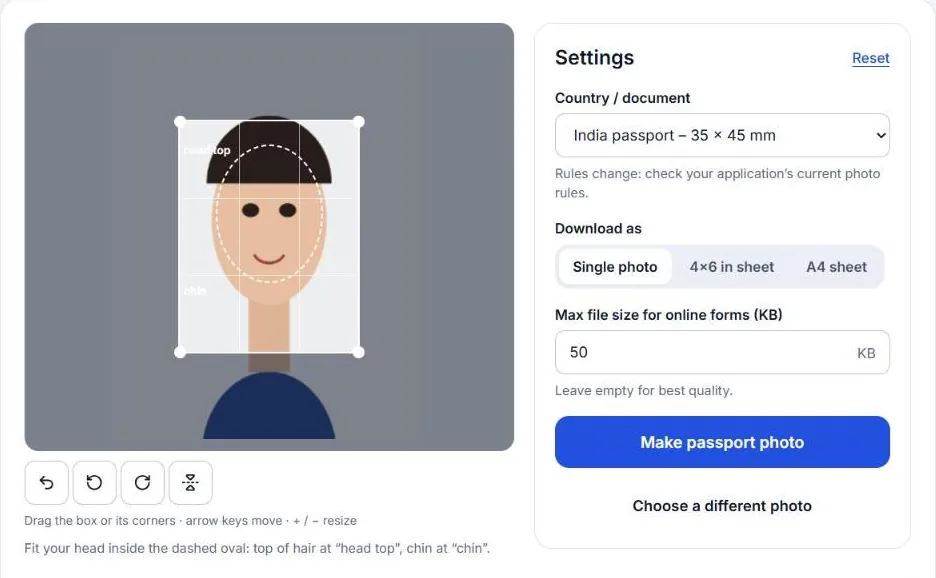
Step 2Open Passport size photo maker, add the photo and choose India passport – 35 × 45 mm. Drag the frame or its corners so your head sits inside the guide.
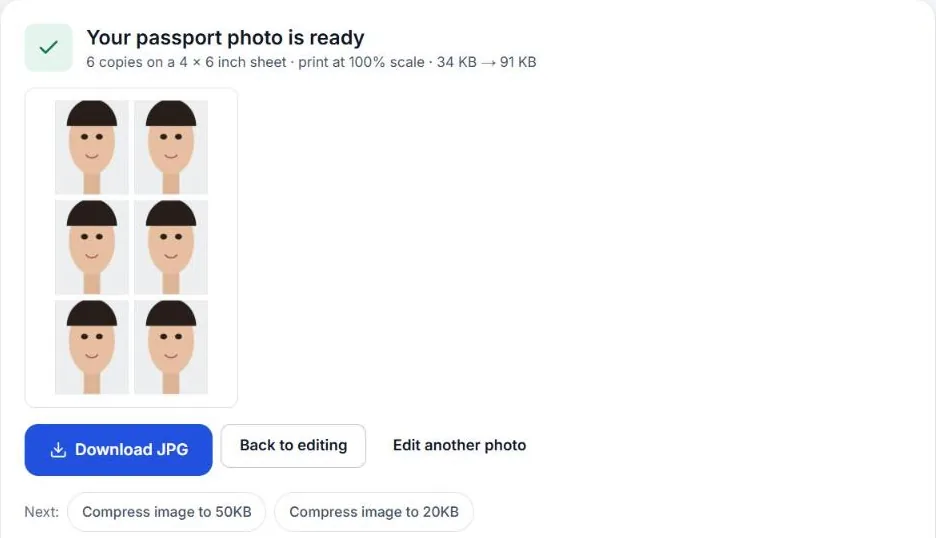
Step 3Download a single photo for online forms, or a 4×6 inch sheet with several copies to print at a photo shop.
The size, at a glance
| Detail | Indian passport photo |
|---|---|
| Size | 35 × 45 mm (3.5 cm wide × 4.5 cm tall) |
| Colour | Colour photo |
| Background | Plain white |
| Face | Looking straight at the camera, eyes open, face filling most of the frame |
| At 300 DPI | About 413 × 531 pixels |
These are the widely used specifications. Passport rules can change, so check the current instructions on the official notice for your application at passportindia.gov.in before you print.
Visa and OCI are different. Indian visa and OCI applications use a square 2 × 2 inch (51 × 51 mm) photo. Passport size photo maker has a preset for that too.
Taking a good photo at home
You don’t need a studio. A phone camera and a window are enough:
- Stand 1–1.5 metres in front of a white or very light wall. Avoid patterned walls and doors.
- Face a window so daylight falls evenly on your face. Turn off yellow room lights; mixed light gives a colour cast.
- Ask someone else to take it, holding the phone at your eye level. Selfies distort the face and are often too close.
- Neutral expression, mouth closed, eyes open. Remove glasses if they reflect light, and keep hair away from your face.
- Take several shots and pick the sharpest.
Making it the right size
Open Passport size photo maker and choose India passport – 35 × 45 mm. The guide shows where your head should sit. Drag the frame or its corners until your face fills it, then download:
- Single photo for an online application.
- 4×6 inch sheet with several copies, to print at a photo shop (it costs far less than a studio).
- A4 sheet if you’re printing at home on a normal printer.
Online forms with a KB limit
Many online forms (exams, banks, jobs) want a passport-style photo under a size such as 20 KB or 50 KB. Set Max size for online form in the photo maker, or use Compress image to 50KB afterwards. For the full method, see how to resize your photo and signature for exam forms.
Common reasons photos get rejected
- Background isn’t plain white (shadows, grey walls, objects behind you).
- Face too small or not centred. Use the guide in the photo maker.
- Photo is old or edited. Use a recent, unfiltered photo; beauty filters change your face.
- Wrong size for the document (passport vs visa).
- Printed at the wrong scale. Print at 100%, not “fit to page”.
Single photo or print sheet?
Pick the download by where the photo is going:
| You need it for | Download |
|---|---|
| An online passport or visa form | Single photo, then check the form's own pixel and KB limits |
| A paper form or a photo shop | 4×6 inch sheet |
| Printing at home on a normal printer | A4 sheet, printed at 100% |
Photo paper gives cleaner colour and a whiter background than plain paper.
Quick checklist before you print
- Plain white background, with no shadow behind your head.
- Whole head visible, from the top of the hair to the chin, and centred in the frame.
- A recent photo, with no filters, beauty mode or editing.
- The right size: 35 × 45 mm for a passport, 2 × 2 inches for a visa or OCI.
- Printed at 100% scale. Measure one copy with a ruler: it should be 3.5 cm wide and 4.5 cm tall.
Privacy
Your photo is processed in your browser by the photo maker. It isn’t uploaded to our server, which matters for an ID photo.
Questions
What is the passport size photo size in India?
35 × 45 mm, also written as 3.5 × 4.5 cm, in colour on a white background. Indian visa and OCI applications use a different size: 2 × 2 inches.
What size in pixels is a passport photo?
It depends on the print resolution. At 300 DPI, 35 × 45 mm is about 413 × 531 pixels. Online forms often give their own pixel and KB limits; use those.
Can I print passport photos at home?
Yes. Download the 4×6 inch sheet and print it at 100% scale on glossy photo paper, or take the file to any photo shop.
Do I need to bring photos to the Passport Seva Kendra?
Check your appointment instructions on passportindia.gov.in. Rules differ by application type and can change.
Passport size photo maker, free and private
India, US, UK, Schengen, Canada. Runs in your browser; nothing is uploaded.